

KeyPay is cloud-based payroll and workforce management software (now under the Employment Hero brand) that helps businesses automate payroll, employee records, and compliance processes. Connecting KeyPay with Xemplo moves approved workforce data to payroll and bring payroll information (e.g. payslips) back into Xemplo.
Visit Website

Xemplo Native (built by Xemplo)

Payroll-ready employees
Use information collected during Xemplo onboarding to create employee records in KeyPay.

Send approved data to payroll
Move approved leave, expenses and timesheets from Xemplo into KeyPay.

Two-way payroll
Make KeyPay payslips available in Xemplo and return payroll on-costs for reporting and billing.

Use Xemplo to manage onboarding, time, leave, expenses, and approvals while KeyPay remains your payroll system.
Create KeyPay employee records from completed Xemplo onboarding or import existing KeyPay employees into Xemplo. Approved leave, expenses, and timesheets can then move into KeyPay for payroll processing.
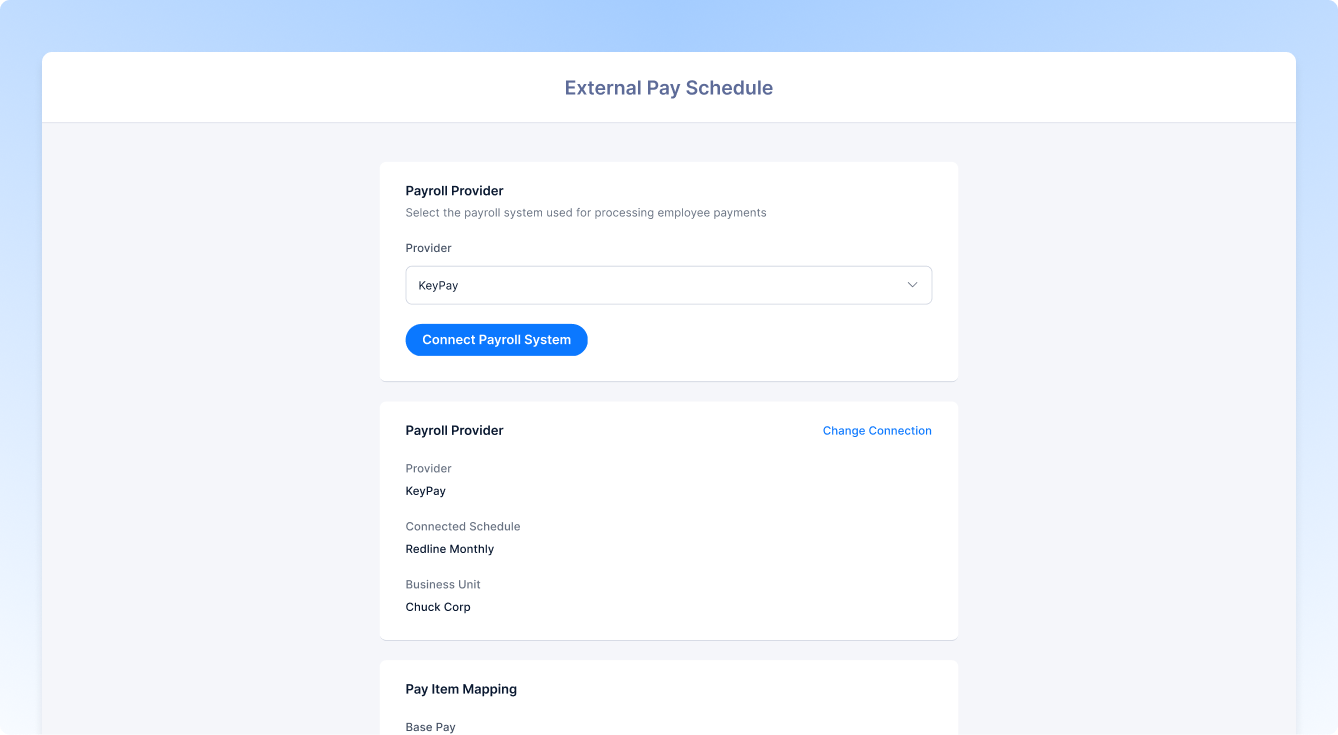
KeyPay pay categories, expense categories, pay schedules, and locations sync directly into Xemplo, while payslips return to each worker’s Xemplo record.
For Xemplo Bill clients, payroll batches can also create KeyPay Pay Runs (with payroll on-costs syncing back into Xemplo).
Why connect KeyPay to Xemplo?
*Functionality only available to Xemplo Bill clients.

Create KeyPay employee records using information already collected during Xemplo onboarding, reducing duplicate data entry.

Import existing KeyPay employees into Xemplo as workers without manually rebuilding their profiles.
Import existing KeyPay employees into Xemplo as workers without manually rebuilding their profiles.

Send approved leave, expenses, and timesheets from Xemplo into KeyPay for payroll processing.

Sync pay categories, expense categories, pay schedules, and locations from KeyPay into Xemplo.

KeyPay payslips are available to workers through Xemplo web self-service and the mobile app.
The integration consolidates worker, time, leave, expense, and payroll data across Xemplo and KeyPay, with information flowing in both directions (depending on the process).
| In Integration | Sync Direction | In Xemplo |
|---|---|---|
 Employee
|

|
 Worker
|
|
Leave Request
|

|
Leave Request
|
|
Expense
|
|
Expense
|
|
Expense Categories
|

|
Expense Categories
|
|
Pay Run
|
|
Payroll Batch
|
|
Timesheet
|
|
Timesheet
|
|
Payrun Elements
|
|
On Costs
|
|
Pay Categories
|
|
Pay Categories
|
|
Pay Schedules
|
|
Pay Schedules
|
|
Locations
|
|
Sites
|
|
Payslips
|
|
Payslips
|
When a worker completes onboarding in Xemplo, the integration creates a corresponding Employee record in KeyPay. Information collected during onboarding is used to populate the KeyPay employee profile, helping payroll start with the information required to process the worker correctly. Depending on the integration configuration, this can include personal information, contact details, employment details, bank account information, tax details, and superannuation information.
The KeyPay employee import feature allows existing employees in KeyPay to be imported into Xemplo as Workers. This is useful when a company already has employee records in KeyPay and needs to create matching worker profiles in Xemplo without manually entering the same information again. Once imported, the worker record can be managed in Xemplo and used for onboarding, workforce management, and payroll-related processes.
Approved leave requests in Xemplo are synced to KeyPay as Leave Requests. This allows leave submitted and approved in Xemplo to be reflected in the payroll system, ensuring the approved leave can be considered as part of payroll processing. Only approved leave requests are synced, helping ensure KeyPay only receives leave that has completed the required approval workflow in Xemplo.
Approved expenses in Xemplo are synced to KeyPay as Expenses. This allows expense claims submitted and approved in Xemplo to be passed through to KeyPay for payroll processing. Only approved expenses are synced, ensuring that reimbursement items sent to KeyPay have completed the required review and approval process in Xemplo.
KeyPay Expense Categories are synced to Xemplo as Expense Categories. These categories are used to classify expense claims submitted by workers, such as travel, meals, accommodation, or other reimbursable costs. Syncing expense categories from KeyPay allows expenses submitted in Xemplo to be categorised in a way that aligns with payroll processing in KeyPay.
For Xemplo Bill clients, payroll batches created in Xemplo are synced to KeyPay as Pay Runs. This allows payroll data prepared in Xemplo to be transferred to KeyPay for payroll processing. The pay run can include relevant worker payments, timesheet data, leave, expenses, and other payroll-related values included in the batch, depending on the client’s configuration and payroll process.
Timesheets submitted and approved through the Xemplo Time and Attendance feature are exported to KeyPay as Timesheets. This allows workers and approvers to manage the timesheet submission and approval process in Xemplo, while still ensuring approved time data is available in KeyPay for payroll processing. This sync point relates specifically to Xemplo Time and Attendance and is separate from Xemplo Bill, where timesheet data is exported to KeyPay as part of a Payroll Batch.
For Xemplo Bill clients, pay run elements from KeyPay can be synced back to Xemplo as On-costs. This may include payroll-related liabilities such as tax, superannuation, and other payroll costs calculated in KeyPay as part of the pay run process. Syncing these values back to Xemplo allows them to be included in reports and billing calculations, ensures payroll liabilities and associated employment costs are reflected accurately.
KeyPay Pay Categories are synced to Xemplo as Pay Categories. These categories are used to classify the different types of payments that can apply to workers, such as ordinary hours, overtime, allowances, or other pay items. Syncing pay categories from KeyPay helps Xemplo use the same payroll classifications as the payroll system.
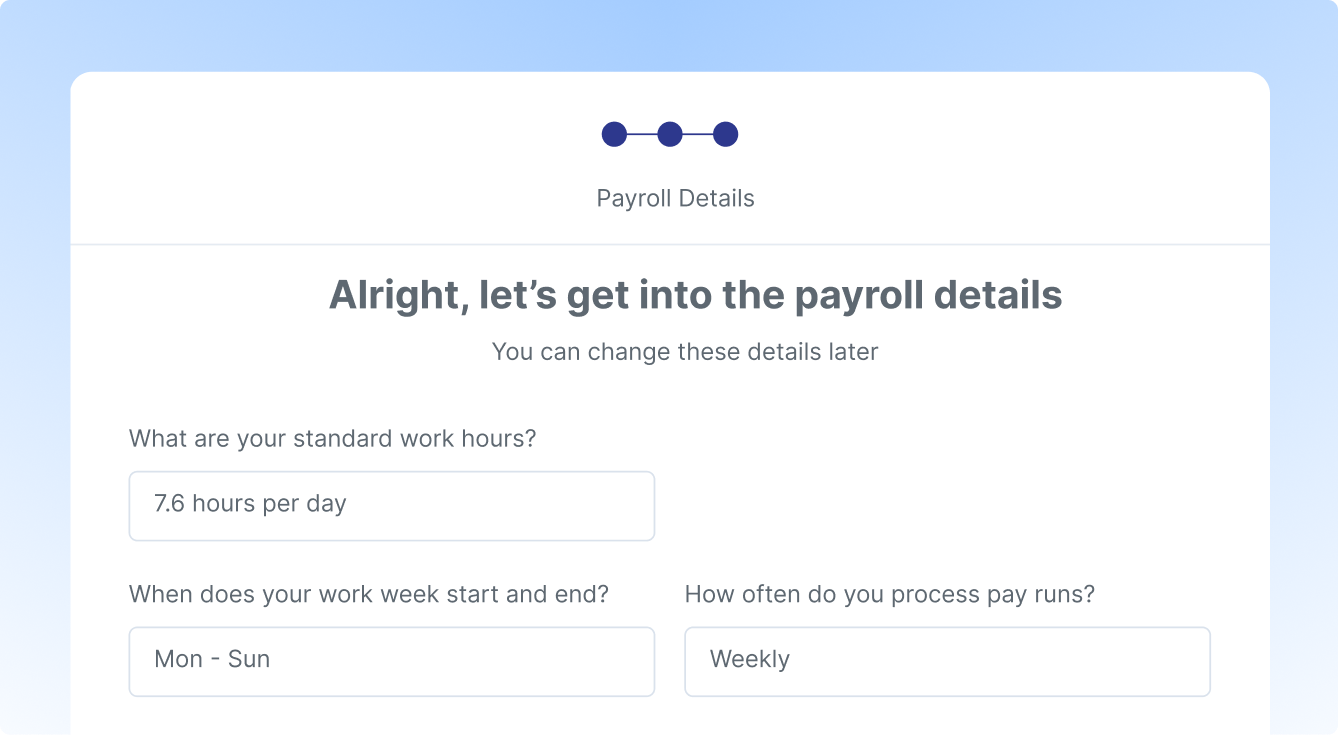
KeyPay Pay Schedules are synced to Xemplo as Pay Schedules. Pay schedules define the payroll frequency and cycle used for workers, such as weekly, fortnightly, or monthly payroll. Syncing pay schedules from KeyPay allows Xemplo to align worker payroll settings with the schedules used in KeyPay.
KeyPay Locations are synced to Xemplo as Sites. Sites in Xemplo can be used to represent work locations, branches, offices, or other location-based structures required for workforce and payroll management. Syncing locations from KeyPay keeps location data aligned between the two systems.
Payslips generated in KeyPay are synced to Xemplo so that workers can access their payslips directly via Xemplo. Once available in Xemplo, workers can view and download their payslips using the Xemplo web self-service interface or the Xemplo mobile app, providing a convenient central location for workers to access their payroll documents.
Connect KeyPay to Xemplo and give your HR, operations, and payroll teams a single connected workflow – from onboarding and approved workforce data through to payroll processing and payslip access.
Request a Demo